UnlockTool Loader V2 by Amiiz 2026 Free Download – 30 Days Trial No Activation
UnlockTool Loader V2 by Amiiz is a third-party loader for UnlockTool that gives you a 30-day free trial with no credits, no OTP, and no extra activation steps. The loader comes with the server file already placed inside the bin folder, so it does not need to download anything from the server during setup — the tool can read the file locally and launch UnlockTool directly. Login credentials are included in the package. V2 was released on 02.09.2026 and fixes all known issues from the previous V1 loader.
Supported Brands
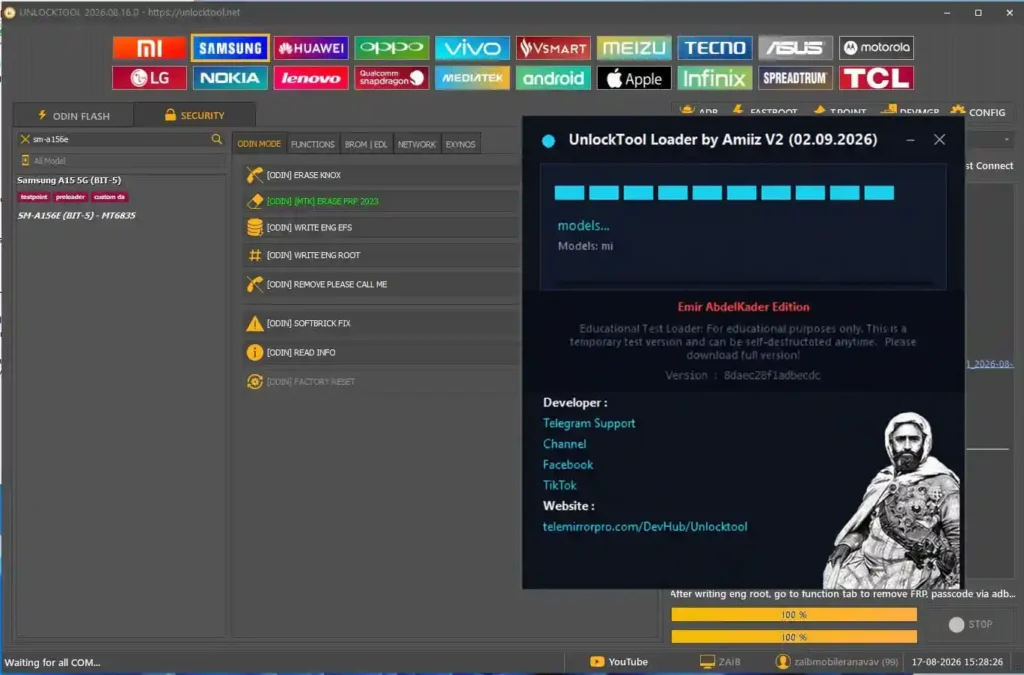
The UnlockTool interface accessed via this loader supports the following brands:
- Huawei / Honor
- OPPO / Realme / OnePlus
- Vivo / iQOO
- VS/Smart
- Meizu
- Tecno / Infinix
- Lenovo
- Qualcomm (multi-brand)
- MediaTek (multi-brand)
- Apple (iPhone / iPad)
- ZTE / Red Magic
Key Loader Features
- 30-day free trial — no credits, no OTP, no extra activation required
- Server file pre-bundled inside the bin folder — no server download needed at launch
- Login credentials included in the package
- Apple — OFF iCloud Open Menu with token support for iOS devices up to iPhone 15 Pro Max and all iPad devices
- ZTE — fixed PBL skip read failure on supported models
- ZTE Red Magic — Factory Reset, FRP, and Flash functions listed
- V2 fixes all known issues from the previous V1 loader
What’s New in V2 (02.09.2026)
- Released UnlockTool Loader V2 — full rebuild from V1
- Fixed all known issues from the previous version
- Application data and loader must be kept in the same folder
- Security certificate request may appear on first launch — click Accept to continue
Download UnlockTool Loader V2 by Amiiz
- File Name: UnlockTool_Loader_V2_By_Amiiz_29.08.2026.zip
- Loader By: Amiiz
- Trial: 30 Days Free
- Password: No Password
How to Install UnlockTool Loader V2
- Download
UnlockTool_Loader_V2_By_Amiiz_29.08.2026.zipfrom the Android File Host link above. - Open your Downloads folder and extract the ZIP using WinRAR, 7-Zip, or another archive tool.
- Keep all extracted files — including the bin folder — in the same folder as the EXE. Do not move the EXE out of the folder.
- Right-click
UnlockTool_Loader_By_Amiiz.exeand select Run as Administrator. - Click More Info → Run Anyway if Windows SmartScreen appears.
- Read the small notice popup that appears and click OK.
- Accept the security certificate request if it appears — this is required for the loader to function.
- When the UnlockTool login screen opens, enter aminebazouka as the username and any password in the password field.
- Click Login, then click Agree on the disclaimer window.
- Wait while the loader checks the user and loads all modules — this may take a minute on first launch.
- UnlockTool opens — select your device brand tab and begin work.
Important Notes
- Keep the loader EXE and the bin folder in the same location — moving the EXE out of the extracted folder will break the loader.
- The login username is aminebazouka — the password field accepts any entry.
- Accept the security certificate when prompted — the loader will not launch correctly without it.
- This is an unofficial third-party loader — it is not affiliated with the official UnlockTool team.
- The 30-day trial period begins on first login — plan your usage accordingly.
Conclusion
UnlockTool Loader V2 by Amiiz is a practical way to access UnlockTool for 30 days without any paid subscription, credits, or OTP. The pre-bundled server file in the bin folder means the loader works faster at launch without needing an internet download, and the V2 release on 02.09.2026 cleans up all remaining issues from V1. If you want to test UnlockTool’s full feature set across Huawei, OPPO, Vivo, Apple, ZTE, and other brands before committing to a paid plan, this loader is a reliable starting point. Download it from Android File Host using the link above and follow the install steps carefully.
Credits: Loader created by Amiiz. UnlockTool software developed by the official UnlockTool team. All credits go to the respective developers. Disclaimer: For educational purposes only. This is an unofficial third-party loader. Use responsibly. We are not liable for any device damage or data loss.
Related Tools
- UnlockTool Free via RE_GURU Launcher
- UnlockTool Latest Version Official
- MJT ADB Tool Pro v1.2.7 Free Download