CMD Tool 2026 ADB Tuner Free Download – Android ADB Utility
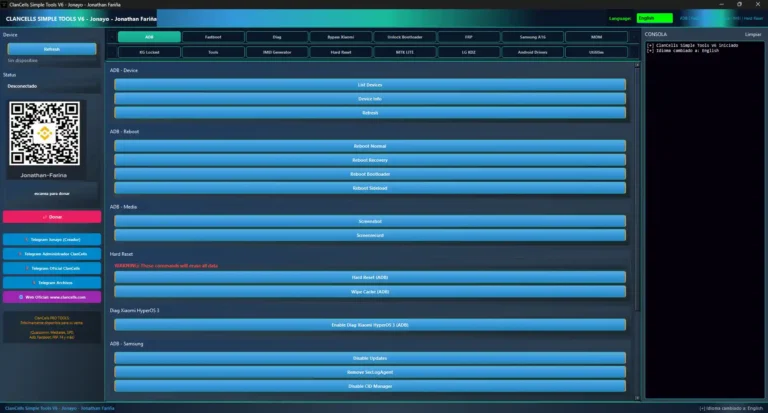
CMD Tool 2026 ADB Tuner is a free Windows utility that wraps common Android Debug Bridge (ADB) operations into a button-based graphical interface, removing the need to type commands manually in Command Prompt. It covers ADB device detection, device information reading, application installation and management, reboot options, ADB command execution, and basic connection troubleshooting — all from an organized Windows interface. It is suited for mobile technicians, developers, app testers, and Android enthusiasts who regularly use ADB Platform-Tools and want a faster, simpler workflow. The archive password is 123.

Tool Information
| Detail | Info |
|---|---|
| Tool Name | CMD Tool 2026 ADB Tuner |
| Platform | Windows 10 / Windows 11 |
| Technology | Android Debug Bridge (ADB) |
| Connection | USB (USB Debugging Required) |
| File Password | 123 |
| License | Free |
CMD Tool 2026 ADB Tuner Key Features
- ADB Device Detection — check whether the connected phone is recognized and the ADB connection is active
- Device Information — read basic information from the connected Android device via ADB
- Application Management — install APK files and perform app management operations via ADB
- Reboot Options — reboot the device to supported states using ADB reboot commands
- ADB Command Execution — run predefined ADB commands from button-based interface without typing in Command Prompt
- Troubleshooting — assist with ADB connection problems, device detection issues, and basic debugging tasks
- Log / Output Panel — view operation results and ADB responses in real time
System Requirements
- Windows 10 or Windows 11
- Working USB port and a good-quality USB data cable
- Compatible Android USB driver installed on your PC
- Android Platform-Tools / ADB installed
- USB Debugging enabled on the Android device from Developer Options
Download CMD Tool 2026 ADB Tuner
- Tool Name: CMD Tool 2026 ADB Tuner
- License: Free
- Password: 123
How to Use CMD Tool 2026 ADB Tuner
- Download the CMD Tool 2026 ADB Tuner from the Google Drive link above and extract the archive using the password 123.
- Make sure Android Platform-Tools (ADB) is installed on your PC and the correct Android USB driver for your device is in place.
- Enable USB Debugging on your Android phone — go to Settings → About Phone → tap Build Number 7 times → Developer Options → enable USB Debugging.
- Launch the CMD Tool 2026 ADB Tuner on your Windows PC.
- Connect your Android phone to the PC via USB cable.
- When the USB Debugging authorization popup appears on your phone, tap Allow.
- Use the device detection option to confirm the phone is recognized.
- Select the required operation — device information, application management, reboot, or ADB command — from the interface.
- Check the log/output panel for operation results and ADB responses.
Important Notes
- Android Platform-Tools (ADB) must be installed on your PC before using this tool — without it the tool cannot communicate with your device.
- USB Debugging must be enabled on your Android device — go to Developer Options and turn it on before connecting.
- ADB feature availability depends on the Android version, manufacturer restrictions, and USB driver — not all operations are guaranteed to work on every device.
- Always back up device data before running any system-level ADB operation.
- The archive password is 123.
Conclusion
CMD Tool 2026 ADB Tuner is a convenient ADB wrapper for Windows that turns repetitive Command Prompt ADB tasks into one-click button operations. For mobile technicians, developers, and Android enthusiasts who frequently run ADB commands for device detection, information reading, app management, and reboot operations, the organized GUI interface saves time compared to typing each command manually. Download CMD Tool 2026 ADB Tuner using the Google Drive link above — the archive password is 123.
Credits: All credits go to the CMD Tool 2026 ADB Tuner development team. Disclaimer: For educational purposes only. ADB is an official Android developer tool — use it only on devices you own or are authorized to service. Always back up data before any operation. We are not liable for any device damage or data loss.
Related Tools
- KG Killer Tool v3.8.0 Latest Version
- EFT Pro Dongle V5.6.5 (Latest Updete)
- ADBTool Beta v1.3.2 Free Download