Download TunaPro Tool V3.8.0 (Latest Version) Free
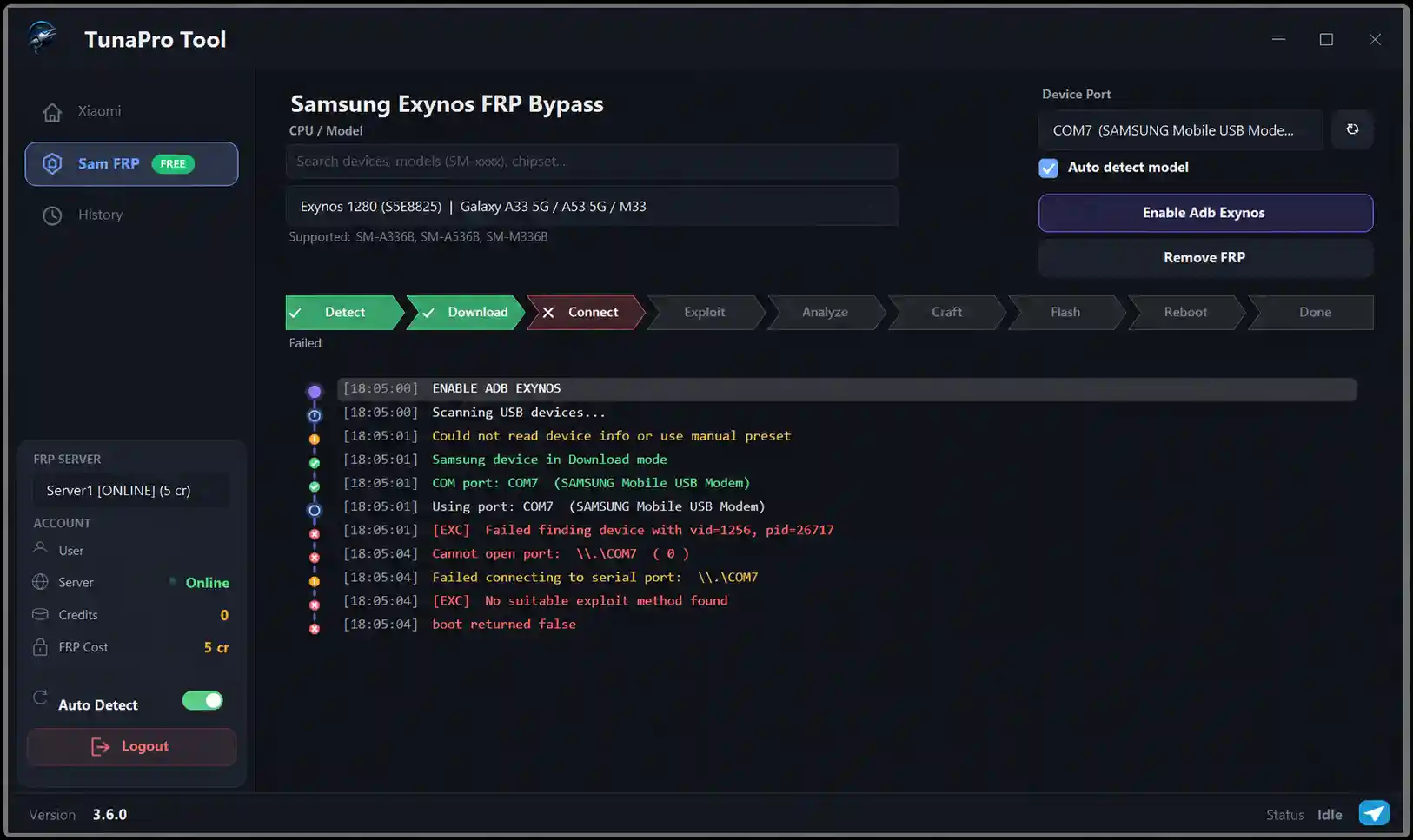
TunaProTool is a free Samsung Exynos FRP bypass tool that also supports Xiaomi FRP removal via server. It is a newer tool in the GSM repair community, but it has already been tested and confirmed working on Samsung Exynos devices. Registration is free, no OTP verification is required, and the Samsung FRP function is completely free to use — making it a practical option for everyday repair shop work.
Tool Information
| Detail | Info |
|---|---|
| Tool Name | TunaPro Tool |
| Release Date | June 11, 2026 |
| Supported Chipset | Samsung Exynos |
| Connection | USB / Download Mode / ADB |
| License | Free (Samsung FRP Free / Xiaomi 5 Credits) |
| Registration | Free — No OTP Required |
| Official Website | tunaprotool.com |
TunaPro Tool Key Features
- Samsung Exynos FRP Bypass — FREE
- Enable ADB on Supported Exynos Devices
- Xiaomi Server FRP Removal — 5 Credits
- Auto Device Detection
- Built-in ADB and Fastboot Files
- Simple Login System — No OTP Needed
- Chipset-Based Device Selection
- Clean and beginner-friendly interface
Supported Samsung Exynos Models
| Series | Models |
|---|---|
| Galaxy A Series | A5 2017, A7 2017, A8 2018, A6+ 2018, A10s, A20, A20s, A30, A30s, A33 5G, A34 5G, A35 5G, A36 5G, A51, A53 5G, A54 5G, A55 5G, A04s, A12, A13, A71 5G |
| Galaxy S Series | S7, S7 Edge, S8, S8+, S9, S9+, S10, S10+, S10e, S20, S20+, S20 Ultra, S21 Series, S22 Series, S24 Series, S25 Series |
| Galaxy M Series | M12, M20, M21, M30s, M31, M31s, M33 |
| Galaxy J Series | J2 Pro, J3 2017, J5 2017, J7 2017, J8 |
| Galaxy Note Series | Note FE, Note 8, Note 9, Note 20 |
| Other | Galaxy F41, Generic Exynos Devices |
Download TunaPro Tool Latest Version
- Tool Name: TunaPro Tool
- License: Free
- Registration: Free — No OTP Required
- Official Site: tunaprotool.com
TunaPro Tool How to Use
- Download TunaPro Tool from the official link above.
- Disable Windows Defender or antivirus before extracting.
- Extract the ZIP file to your Desktop.
- Run
TunaProTool.exeas Administrator. - Register a free account — enter username, email, and password. No OTP needed. Click Create Account.
- Login with your new username and password.
- Put your Samsung device into Download Mode manually using the correct key combination for your model.
- Connect the phone to your PC via USB and wait for detection.
- Click Enable ADB Exynos and wait for the tool to process the device.
- Reboot the phone after the ADB step. If it stays in Download Mode, hold Volume Down + Power to force restart.
- Return to the tool once the phone boots normally and start the FRP Removal process.
- Allow USB Debugging when the permission popup appears on the phone screen.
- Wait for the FRP removal to complete, then reboot and finish the Android setup.
Conclusion
TunaPro Tool is a promising new FRP tool for Samsung Exynos devices that is completely free to use. With a simple interface, built-in ADB support, and no hardware box required, it is easy to set up and use even for beginners. The Samsung FRP function has been tested and confirmed working, making it a reliable choice for everyday repair work. If you frequently handle Samsung Exynos phones, this tool is worth keeping in your toolkit. Download it free today from the official website.
Credits: All credits go to the TunaProTool Team for developing and sharing this tool. Disclaimer: For educational purposes only. Use responsibly and legally. We are not liable for any device damage.