TFT Unlock Tool 2023-3.1.1.2 – Free Download (Latest Version)
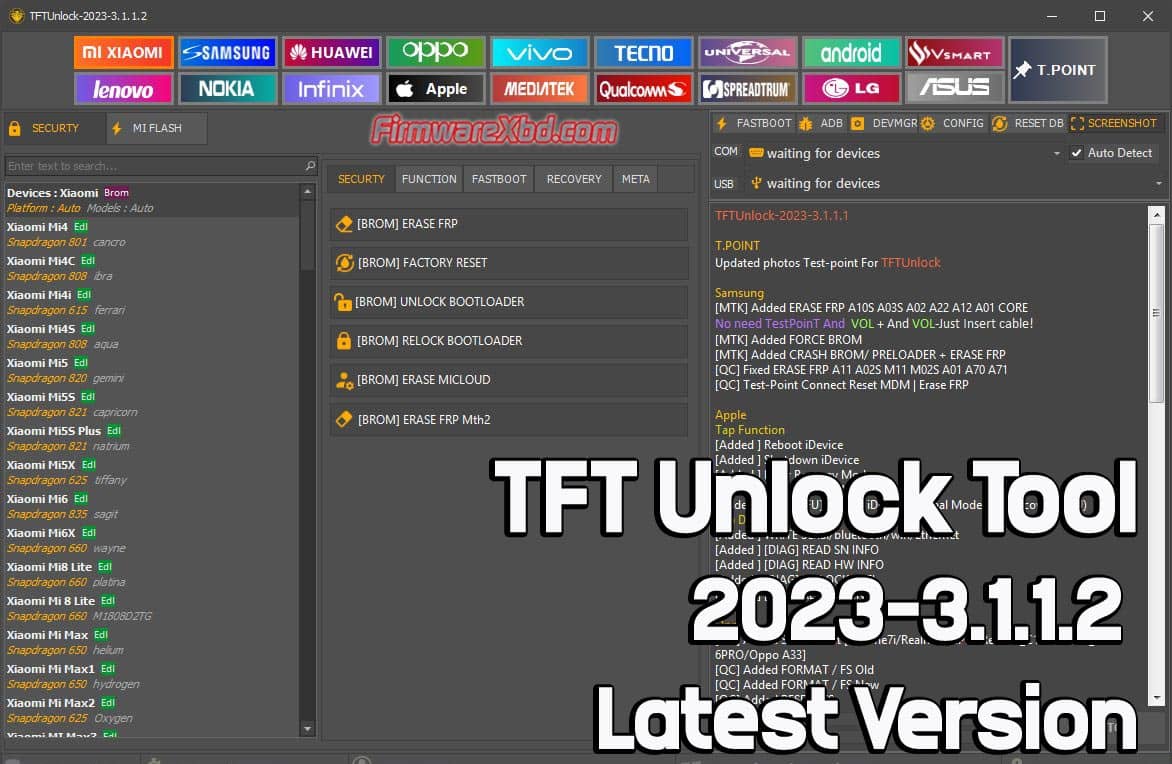
TFT Unlock Tool is a free Windows utility for Android device repair and management. Version 3.1.1.2 supports bootloader unlocking, stock ROM flashing, FRP removal, data wipe, and IMEI repair across major brands including Xiaomi, Samsung, Huawei, Oppo, and Vivo — covering Android Oreo through Android Q and beyond.
TFT Unlock Tool Key Features
Bootloader Unlock Unlock the bootloader on supported Android devices to install custom ROMs or gain root access.
Stock ROM Flashing Flash official firmware to unbrick devices, fix bootloops, or downgrade to a stable Android version.
FRP Lock Removal Bypass Factory Reset Protection on supported devices without needing the original Google account credentials.
Data Wipe & Format Perform full data wipes or format partitions to resolve persistent software issues.
IMEI Repair Repair corrupted IMEI numbers on select MediaTek devices to fix “No Service” and network registration errors.
Simple Interface Step-by-step guided workflow — suitable for both professional repair technicians and advanced home users.
Download TFT Unlock Tool 3.1.1.2
| Detail | Info |
|---|---|
| Version | 2023-3.1.1.2 |
| File Size | 627 MB |
| Platform | Windows XP / 7 / 8 / 10 |
| Password | TFT |
Supported Devices
TFT Unlock Tool covers a wide range of Android brands and series:
| Brand | Supported Series |
|---|---|
| Xiaomi | Mi, Redmi, POCO |
| Samsung | Galaxy S, Galaxy Note |
| Huawei | P Series, Mate, Nova |
| Oppo | Reno, Find, A Series |
| Vivo | V, S, Y Series |
How to Install TFT Unlock Tool
- Download the setup file using the link above. Extract with the password
TFT. - Run the installer — double-click the setup file to launch the installation wizard.
- Follow the prompts — click Next, choose your destination folder, and complete the installation.
- Launch the tool from the desktop shortcut once installation finishes.
How to Use TFT Unlock Tool
To unlock the bootloader: Select your device brand, model, and Android version. Enable USB debugging on your device when prompted, then follow the on-screen steps to complete the unlock.
To flash stock ROM: Download the correct firmware for your device model. Load the ROM file inside the tool, connect your device in the required mode, and click Flash.
To remove FRP lock: Enter your device details, then follow the steps to boot into Download or Fastboot mode. The tool will handle FRP removal automatically once the device is detected.
Before any operation — back up your data. Flashing firmware and wiping data are irreversible.
Final Thoughts
TFT Unlock Tool is a solid free option for common Android repair tasks — especially FRP removal and stock ROM flashing on Xiaomi and Samsung devices. It won’t replace paid professional tools for complex jobs, but for everyday unlocking and flashing tasks, it covers the essentials well. Download version 3.1.1.2 and use it with the password TFT to get started.