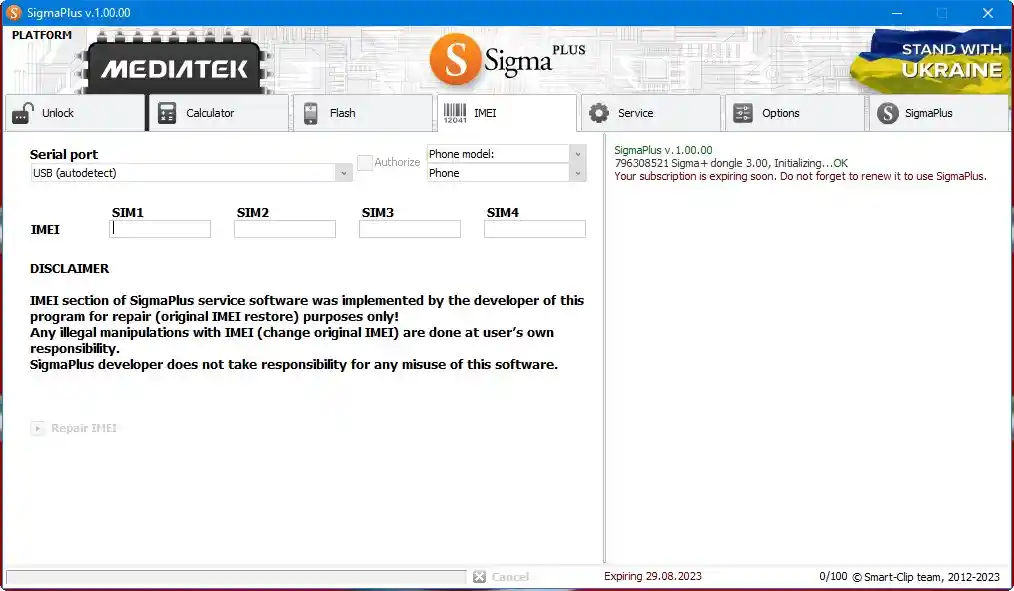
Sigma Plus v1.01.16 Download Latest Version – Motorola MTK Bootloader Unlock 2026
Sigma Plus v1.01.16 is a professional Android servicing tool that works with a Sigma Plus box, dongle, or licensed account. It supports Qualcomm, MediaTek, HiSilicon (Kirin), Broadcom, Unisoc, and ADB-based operations across dozens of brands including Samsung, Huawei, Honor, Motorola, Vivo, ZTE, Alcatel, and more. The v1.01.16 update focuses heavily on Motorola MediaTek improvements — adding bootloader unlock support for over 35 Moto models without any phone disassembly or Test Point access required.
Tool Information
| Detail | Info |
|---|---|
| Tool Name | Sigma Plus |
| Version | v1.01.16 (Latest) |
| Platform | Windows |
| Supported Chipsets | Qualcomm, MediaTek, HiSilicon (Kirin), Broadcom, Unisoc |
| Supported Brands | Samsung, Huawei, Honor, Motorola, Vivo, ZTE, Alcatel & More |
| License Type | Paid — Box / Dongle or Licensed Account |
| Purchase | gsmserver.com or local dealer |
| Password | No Password |
Sigma Plus v1.01.16 Key Features
MediaTek (MTK) Functions
- FRP Removal — Samsung A/E/F/G/J/N/M/P/S/T/X series (Android 7–12, no Test Point)
- Bypass Boot Authorization — Disable security via BROM exploits
- Supported CPUs — MT6572, MT6580, MT6582, MT6735, MT6737, MT6739, MT6755, MT6757, MT6761, MT6763, MT6765, MT6768, MT6771, MT6785, MT6799, MT6873, MT8127, MT8163, MT8173, MT8695 & more
- IMEI Repair — Vivo MTK (survives master reset)
- Huawei ID Removal — Permanent, does not return after reflash
- Backup & Restore NV Calibrations (eMMC and UFS)
- Unlock & FRP Remove via SPFT method (Motorola, Alcatel, Huawei)
- Yoda Method — Unlock codes + IMEI repair for MTK devices
- Root / Unroot — Various Android versions
- Flash / Backup — Firmware upgrade/downgrade with large archive
Qualcomm Functions
- FRP Removal — Samsung series (Android 7–12, no Test Point)
- Direct Unlock — Acer, Alcatel, ZTE, Huawei, Sony, Motorola (Heuristic method)
- Loader Database — Largest database for Oppo, Blu, Vivo, Xiaomi, Asus, Lenovo, ZTE, Wiko, Nokia, Hisense with auto-detection
- Root / Unroot — Various Android versions
- IMEI Repair — Motorola, Sony, ZTE, Huawei, Alcatel
- Repair Security Area — Alcatel and Huawei
- Unlock Code Calculation — Standalone, no internet, no daily limit
- Flash / Backup — Qualcomm Alcatel firmware, bricked Huawei repair
HiSilicon (Kirin) Functions
- Supported processors — Kirin 710, 710F, 710A, 810, 820, 970, 980, 985, 990, 990E, 990 5G
- Direct Unlock — SIM block unlock, read bootloader password (no root required)
- Remove Huawei ID — P40, P40 Pro, Mate 30 Pro series
- FRP Removal — New Huawei smartphones
- IMEI Repair — Fix “Software IMEI: Not found”, backup & restore IMEI
- Flash — Write original Update.app files, enable downgrade
- Software Testpoint — No disassembly required
Broadcom Functions
- Direct Unlock — Alcatel, ZTE, Vodafone (no code typing after unlock)
- IMEI Repair
- Read Codes — NCK, NSCK, SPCK, CCK, PCK
Unisoc (Spreadtrum) Functions
- FRP Removal — New Huawei Spreadtrum phones
- Universal Loaders — SC7731E, SC9832E, SC9863A (32/64-bit), Tiger T310, T606, T610, T612, T616, T700
- Loader extraction from original PAC flash files
ADB Mode Functions
- Direct Unlock & Repair — Motorola, Sony, Huawei, Qualcomm Hexagon devices
- Yoda Method for MTK devices
- Wrong Code Counter Reset
- Root / Unroot
- Bootloader Unlock — Motorola and Huawei
Download Sigma Plus v1.01.16
- Tool Name: Sigma Plus
- Version: v1.01.16 Latest
- License: Paid (Box / Dongle / Licensed Account)
- Password: No Password
How to Remove FRP on Samsung Exynos (Step-by-Step)
Step 1 — Enter Download Mode
Method 1 (Manual): Turn off phone → Hold Volume Up + Volume Down → Connect USB cable while holding both buttons → Phone enters Download Mode.
Method 2 (Via Sigma Plus): Turn on phone → Connect to PC → Select Modem Port → Go to Service tab → Click Switch to Download Mode.
Step 2 — Enable ADB
- Keep Autodetect selected and choose the Modem Port.
- Click Enable ADB and wait for the process to finish.
- If Autodetect does not work — manually select your Exynos chipset (e.g. Exynos 2400), select the Modem Port, then click Enable ADB.
Step 3 — Repair (If Needed)
If the phone cannot boot after enabling ADB: put it back into Download Mode → select Modem Port → Service tab → click Repair → wait to complete.
Step 4 — Remove FRP
- Reconnect the phone if needed.
- Select the ADB Port from the Serial Port list.
- Go to the Service tab and click Remove FRP.
- Wait until done, then restart the phone and complete setup.
⚡ Quick Method: Download Mode → Enable ADB → Remove FRP
What’s New — Changelog
v1.01.16 — Motorola MTK Bootloader Unlock (No Disassembly)
Added Bootloader Unlock for 35+ Motorola MTK models. No phone disassembly or Test Point access required.
| Model | Device |
|---|---|
| XT2139-1, XT2139-2 | Moto Edge 20 Lite |
| XT2305-1 | Moto Edge 2023 |
| XT2519-1 | Moto Edge 2025 |
| XT2303-2 | Moto Edge 40 5G |
| XT2307-1 | Moto Edge 40 Neo 5G |
| XT2409-2 | Moto Edge 50 Neo 5G |
| XT2505-3 | Moto Edge 60 |
| XT2503-1 | Moto Edge 60 Fusion |
| XT2509-1 | Moto Edge 60 Neo 5G |
| XT2507-1 | Moto Edge 60 Pro |
| XT2613-1 | Moto G 2026 |
| XT2213-3 | Moto G 5G 2022 |
| XT2513-1 | Moto G 5G 2025 |
| XT2163-7 | Moto G Go |
| XT2271-1/3/4/5 | Moto G Play 2023 |
| XT2615-1 | Moto G Play 2026 |
| XT2165-1/2/3/5 | Moto G Power 2022 |
| XT2311-3 | Moto G Power 5G 2023 |
| XT2415-5 | Moto G Power 5G 2024 |
| XT2515-1, XT2515-2 | Moto G Power 5G 2025 |
| XT2163-1/2/4 | Moto G Pure 2021 |
| XT2211-1, XT2211-2 | Moto G Stylus 2022 |
| XT2173-1/2/3/4 | Moto G31 2021 |
| XT2167-1, XT2167-2 | Moto G41 |
| XT2149-1 | Moto G50 5G |
| XT2343-1 | Moto G54 5G |
| XT2435-1 | Moto G55 5G |
| XT2529-1, XT2529-2 | Moto G56 5G |
| XT2133-1, XT2133-2 | Moto G60s |
| XT2431-1 | Moto G64 5G |
| XT2529-3 | Moto G66j 5G |
| XT2237-1 | Moto G73 5G |
| XT2621-3 | Moto G77 5G |
| XT2527-1, XT2527-2 | Moto G86 5G |
| XT2527-6 | Moto G86 Power 5G |
| XT2453-1 | Moto Razr 50 |
| XT2553-1 | Moto Razr 60 |
Also expanded FRP Remove & Bootloader Unlock for additional variants: XT2307-2/3, XT2311-4, XT2415-1/3, XT2343-3/6, XT2435-2, XT2431-2/3, XT2237-2, XT2625-9.
How to Activate Sigma Plus
If You Have a Sigma Plus Box or Dongle
- Plug your Sigma Plus box or dongle into your PC.
- Install the required drivers from the official website or included package.
- Download and install the latest Sigma Plus software from the link below.
- Open the software and follow the on-screen activation instructions.
- Update or activate your box/dongle when prompted.
If You Have a Sigma Plus License
- Go to the Sigma Plus website and create a free account.
- Purchase a license from gsmserver.com or a local dealer.
- Download and install the Sigma Plus software from the link below.
- Open the software and log in with your registered email and password.
- You are ready to use all licensed features.
Conclusion
Sigma Plus v1.01.16 is one of the most comprehensive professional Android servicing tools available in 2026. The v1.01.16 update is particularly valuable for Motorola technicians — it adds bootloader unlock for 35+ Moto MTK models without any phone disassembly or Test Point, which is a significant time saver in a busy repair shop. Combined with the Samsung Exynos Android 15/16 FRP support from v1.01.14 and the extensive Qualcomm loader database, Sigma Plus remains a strong investment for technicians who handle a wide range of brands and chipsets daily. If you already have a Sigma box or license, download v1.01.16 today and take advantage of the new Motorola support.
Credits: All credits go to the Sigma Plus development team. Disclaimer: For educational purposes only. Use responsibly and legally. A valid Sigma Plus box, dongle, or license is required to use this software. We are not liable for any device damage or data loss.