MStarBinTool GUI v2.4 Free Download – MStar Smart TV Firmware Tool 2026
MStarBinTool GUI v2.4 is a free, portable Windows application that puts a clean graphical interface on top of the original mstar-bin-tool command-line utility developed by dipcore. It is designed for firmware developers, repair technicians, and Smart TV service centers who work with MStar chipset firmware files. Instead of typing commands, you use buttons and tabs to pack BIN firmware, unpack existing packages, extract MBOOT keys, encrypt or decrypt firmware, work with UBOOT images, and send ADB commands — all from one organized window. No installation is needed, and the interface supports both English and Russian.
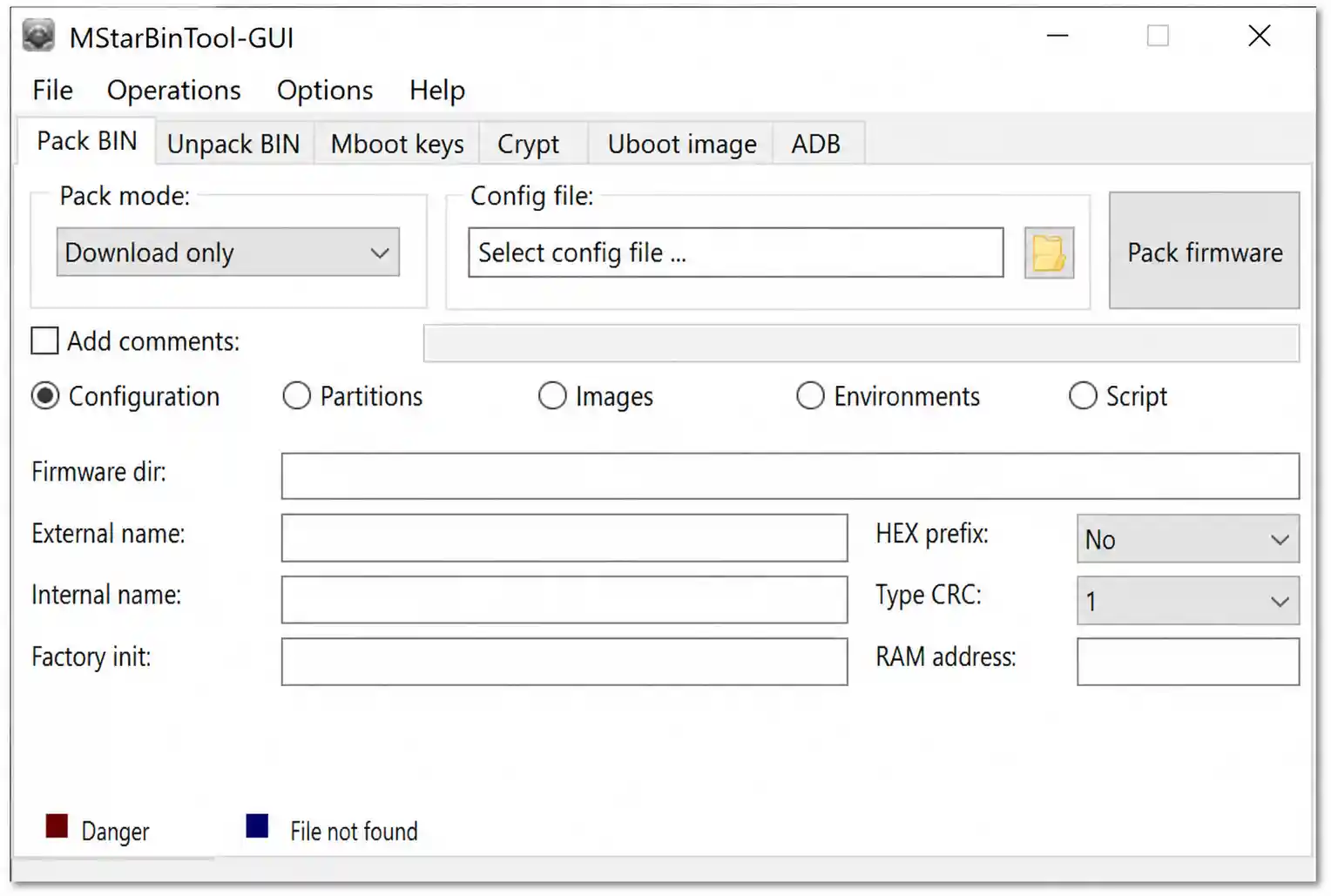
MStarBinTool GUI v2.4 Key Features
Pack BIN
- Create firmware BIN packages from edited firmware contents
- Packing modes — Download Only / Format + Download / Script Only
- Set firmware directory, internal name, external name, RAM address
- Factory initialization value configuration
- Comment fields for partitions, images, and environments
Unpack BIN
- Extract and inspect existing MStar firmware BIN packages
- Full Unpack mode supported
- Browse and load BIN file directly from Windows file picker
Mboot Keys
- Load MBOOT image and extract key information
- Results displayed in a Parameter / Value table
Crypt (Encrypt / Decrypt)
- Decrypt firmware using default keys (pre-configured)
- Support for AES Key, RSA Private Key, RSA Public Key
- Default key files loaded from built-in
default_keysfolder - Custom key file selection supported
Uboot Image
- Unpack UBOOT image files
- Pack UBOOT image files
- Image details displayed in info table after loading
ADB Commands
- Connect to Android TV / Smart TV via IP address
- Show Partition Table
- Save Partition Table
- Show App List
- Save App List
- Send custom commands via built-in ADB interface
Download MStarBinTool GUI v2.4
- File Name: MStarBinTool-GUI_x64_v2.4-espaol.zip
- Version: v2.4
- ZIP Size: 2 MB
- License: Free
- Platform: Windows 10 / 11 (64-bit)
- Password: No Password
MStarBinTool GUI v2.4 How to Use
- Download the ZIP file from the MEGA link above.
- Extract the archive into a folder using WinRAR or 7-Zip — keep all subfolders (
bin,default_keys,work) in the same location as the EXE. - Double-click
MStarBinTool-GUI64.exeto open the program. - Click More Info → Run Anyway if Windows SmartScreen appears — this is a standard false positive for unsigned community tools.
- Switch language to English: Open Options → Select Language → English. The interface updates immediately.
- Select the tab matching your task:
- Pack BIN → choose packing mode, set firmware info, and build BIN package
- Unpack BIN → browse and select a BIN file, then click Unpack
- Mboot Keys → load MBOOT image and click Extract Keys
- Crypt → select action (Decrypt default or custom keys) and load firmware
- Uboot Image → select image, choose Unpack or Pack, and run
- ADB Commands → enter TV IP address, click Connect, select command, and press Send
- Check the output table or work folder for results after each operation.
Important Notes
- Keep the bin, default_keys, and work folders in the same location as the EXE file — moving only the EXE will break the software.
- The default interface language is Russian — switch to English immediately after opening using Options → Select Language → English.
- Always keep a backup of the original firmware before unpacking, editing, or repacking any BIN file.
- Decrypting firmware with custom keys requires the correct AES and RSA key files — default keys may not work on all firmware packages.
- Only use firmware built for your exact TV model — flashing the wrong firmware can permanently damage the device.
- This tool is for MStar chipset devices only — it is not compatible with Android phones, tablets, or non-MStar Smart TVs.
Conclusion
MStarBinTool GUI v2.4 removes the biggest barrier to working with MStar firmware — the command line. By wrapping the original mstar-bin-tool utility in a clean tab-based Windows interface, it lets firmware developers and Smart TV technicians pack, unpack, decrypt, and manage BIN firmware files without memorizing a single command. The portable design means there is nothing to install, the default keys come pre-configured, and switching to English takes about three clicks. If you work with MStar chipset Smart TVs or firmware projects, this free tool is worth keeping in your toolkit. Download it today using the MEGA link above.
Credits: GUI developed by Alexandr-Pescovict. Core utility (mstar-bin-tool) developed by dipcore. All credits go to the original developers.
Disclaimer: For educational and testing purposes only. Always back up original firmware before making any changes. We are not liable for any device damage or data loss.
Related Tools
- SFD Tool GUI v2.5.2 UNISOC Flash Tool Free
- Bader MediaTek V5 Tool Free Download
- OdinDay 3.3.7 (Latest Version)