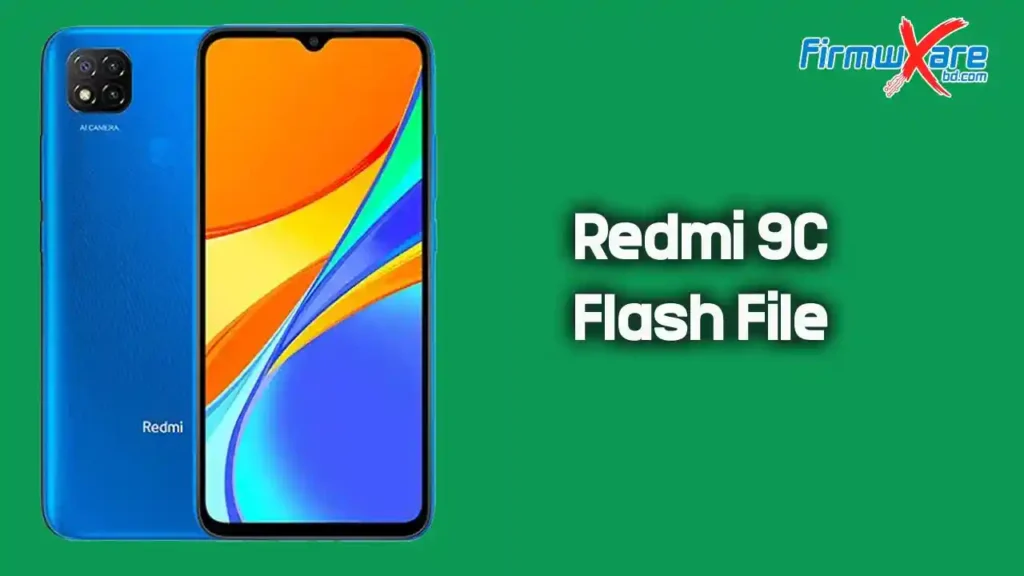
Redmi 9C (angelica) MIUI Flash File (Firmware) Free Download
If your Redmi 9C is stuck on the boot screen, running slow, or facing software problems, flashing the official MIUI firmware is the right fix. On this page, you can download the latest MIUI ROM for the Redmi 9C (codename: angelica) along with a step-by-step flashing guide to get your device back to normal.
Download Redmi 9C (angelica) MIUI Firmware
All ROMs listed below are official, untouched MIUI builds. Choose your region and flash type carefully before downloading.
🌍 Global — V12.0.23.0.QCRMIXM | Android 10
Fastboot ROM
- File Size: 4.2 GB
- Release Date: 2023-03-23
- Package:
angelica_global_images_V12.0.23.0.QCRMIXM_20230323.0000.00_10.0_global_e388f9344e.tgz - MD5: e388f9344e780a2d0e733bbee08d5129
- Download 👉 Direct Download (Fastboot)
Recovery ROM
- File Size: 1.8 GB
- Release Date: 2023-04-13
- Package:
miui_ANGELICAGlobal_V12.0.23.0.QCRMIXM_1bcde6b5b7_10.0.zip - MD5: 1bcde6b5b7bbd208e22a64325212bc3f
- Download 👉 Direct Download (Recovery)
🇪🇺 EEA / Europe — V12.0.14.0.QCREUXM | Android 10
Fastboot ROM
- File Size: 4.1 GB
- Release Date: 2022-08-16
- Package:
angelica_eea_global_images_V12.0.14.0.QCREUXM_20220816.0000.00_10.0_eea_ca6cb27c19.tgz - MD5: ca6cb27c194b82282d56adadd378f740
- Download 👉 Direct Download (Fastboot)
Recovery ROM
- File Size: 1.8 GB
- Release Date: 2022-08-22
- Package:
miui_ANGELICAEEAGlobal_V12.0.14.0.QCREUXM_801922339f_10.0.zip - MD5: 801922339fd99946cadc8e2b81b16c42
- Download 👉 Direct Download (Recovery)
🇮🇩 Indonesia — V12.0.14.0.QCRIDXM | Android 10
Fastboot ROM
- File Size: 3.5 GB
- Release Date: 2022-08-19
- Package:
angelica_id_global_images_V12.0.14.0.QCRIDXM_20220819.0000.00_10.0_global_f3c00f4897.tgz - MD5: f3c00f4897a098124e6513196feb45f2
- Download 👉 Direct Download (Fastboot)
Recovery ROM
- File Size: 2.0 GB
- Release Date: 2022-08-30
- Package:
miui_ANGELICAIDGlobal_V12.5.3.0.RCRIDXM_xxxxxxxx_11.0.zip - MD5: (see xmfirmwareupdater.com for latest)
- Download 👉 Direct Download (Recovery)
🇹🇷 Turkey — V12.0.15.0.QCRTRXM | Android 10
Fastboot ROM
- File Size: 3.4 GB
- Release Date: 2022-09-27
- Package:
angelica_tr_global_images_V12.0.15.0.QCRTRXM_20220927.0000.00_10.0_global_b89d5a18aa.tgz - MD5: b89d5a18aa01ec365ea065dc862f8f68
- Download 👉 Direct Download (Fastboot)
Recovery ROM
- File Size: 1.8 GB
- Release Date: 2022-09-30
- Package:
miui_ANGELICATRGlobal_V12.0.15.0.QCRTRXM_14ddc7a102_10.0.zip - MD5: 14ddc7a102e4449c26d69a8ca8b92e60
- Download 👉 Direct Download (Recovery)
What’s Inside the Redmi 9C Firmware Package
After extracting the firmware, you will find:
- Official MIUI ROM (untouched, unmodified)
- Fastboot or Recovery ROM (depending on your download)
- Flashing instructions
All files are original stock ROMs — not modified or repackaged.
When Should You Flash Redmi 9C Firmware?
Flash this MIUI ROM if your device is experiencing:
- Bootloop or stuck on the Redmi logo
- Device not turning on or fully dead
- IMEI lost or no network signal
- System freezing or random crashes
- Forgot password or pattern lock
- Bugs after a failed OTA update
- Slow performance or storage errors
How to Flash Redmi 9C (angelica) MIUI Firmware
Required Tools Before You Start
Make sure you have everything ready before flashing:
- Download Mi Flash Tool — official Xiaomi flashing tool for Windows
- Download Xiaomi USB Driver — required for your PC to detect the device
- A Windows PC, original USB cable, and at least 50% battery on your phone
How to Flash Using Fastboot ROM (Mi Flash Tool)
Follow these steps carefully:
- Download the Fastboot ROM from the links above and extract it on your PC
- Install the Xiaomi USB Driver on your computer
- Open Mi Flash Tool
- Power off your phone
- Boot into Fastboot Mode — hold Volume Down + Power button together
- Connect the device to your PC via USB cable
- Load the extracted firmware folder in Mi Flash Tool
- Select “Clean All” to do a full flash
- Click Flash and wait for the process to finish
- Your device will reboot automatically once done
You can also use Mi Flash Pro or the TMT Fastboot Xiaomi Flash Tool as alternatives.
How to Flash Using Recovery ROM
- Download the Recovery ROM (.zip file) from the links above
- Copy it to your phone’s internal storage
- Boot into Recovery Mode — hold Power + Volume Up
- Select “Apply Update from Storage”
- Choose the downloaded ZIP file
- Wait for installation to complete
- Reboot the device
Important Tips Before Flashing Redmi 9C Firmware
- Charge your device to at least 50% before starting
- Back up all your data — Fastboot flash will erase everything
- Use the original USB cable for a stable connection
- Do not disconnect your phone during the flashing process
- Make sure the firmware matches your exact device region and model
- Always verify the MD5 checksum after downloading to confirm file integrity
Fastboot ROM vs Recovery ROM — Which One Should You Use?
| Type | Wipes Data | Requires PC | Best For |
|---|---|---|---|
| Fastboot ROM | Yes | Yes | Deep fix, dead phone, full restore |
| Recovery ROM | Sometimes | No | OTA-style update, minor fix |
Use Fastboot ROM if your phone is completely dead or stuck in a bootloop. Use Recovery ROM for a lighter fix or routine update.
Related Downloads You May Need
- Download Mi Flash Tool (Latest)
- Download Mi Flash Pro
- Xiaomi / Qualcomm USB Driver
- TMT Fastboot Xiaomi Flash Tool
- Xiaomi Fire Tool V2.9
- All Xiaomi Flash Files
Why Use Official MIUI Stock Firmware for Redmi 9C?
- 100% safe — no third-party modifications
- Fixes major software and system errors
- Restores original performance and battery life
- Fully compatible with your specific device model
- No risk of malware or unwanted apps
Conclusion
The official MIUI firmware for Redmi 9C (angelica) is the safest and most reliable way to fix software issues on your device. Pick your correct regional ROM from the list above, grab the Mi Flash Tool and USB Driver, follow the steps, and your phone will be back to full working condition in no time.