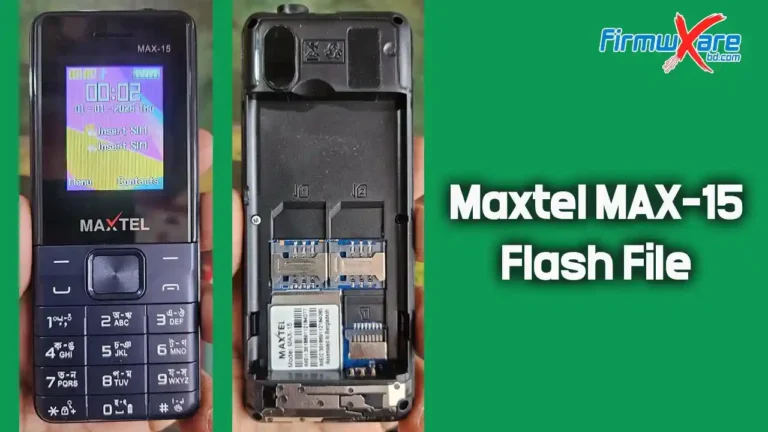
Maxtel Max-11 Flash File SC6531E (Version 3) 100% Tested
Hello GSM friends! If you are searching for the Maxtel Max-11 flash file, you are in the right place. On this page, you can download a 100% tested and safe firmware for the Maxtel Max-11 keypad phone.
This firmware helps fix many common software problems such as hang on logo, dead phone, password lock, IMEI repair, and other system errors. If your phone is not working properly, flashing the stock ROM can restore it to its original condition.
Below you will also find a simple step-by-step guide explaining how to flash the firmware on your Maxtel Max-11 device.

Maxtel Max-11 Flash File (SC6531E Firmware)
The Maxtel Max-11 phone runs on the SPD SC6531E CPU. To flash this firmware, you will need a compatible flashing tool such as InfinityBox CM2 SCR.
The flashing process is simple, but you must follow the instructions carefully. Using the wrong firmware or interrupting the flashing process may damage your device. Always make sure that the firmware version and CPU match your phone before you begin.
Maxtel Max-11 Flash File Reading Information
Below is the firmware reading information from the device:
Wait for device ...

Device Connected!
BootVersion : SPRD3
BootSource  :  InternalLibrary
BootVersion : Infinity SCR 6531EFM v2.0 (c)2019
Port speed : 921600
FDL Flash  : Control transfered!

Boot Done!

CS0_MEM : SPI : [WINBOND] : W25Q32 : 0x00400000 [ 4MiB ]

Read Flash Ok, Size : 4.00 MiB

Platform Version:E11_128X160_DLG_W219_MAX_11_MAXTEL_9106CTC_7735P3BOE_9108BOE_V01_20250522
Project Version:   SC6531EFM_BAR
^VTAG:E11_128X160_DLG_W219_MAX_11_MAXTEL_9106CTC_7735P3BOE_9108BOE_V01_20250522
BASE  Version:     BASE_SVN
HW Version:        SC6531EFM_BAR
05-22-2025 14:46:43
LOG Version:      V1.0.1
UCOM
Saved to : C:\Users\b\Desktop\Read Flash 2\Max-11\latform Version:E11_128X160_DLG_W219_MAX_11_MAXTEL_9106CTC_7735P3BOE_9108BOE_V01_20250522.bin

Done!
Elapsed: 00:00:39

Reconnect Power/Cable!
Maxtel Max-11 Flash File Download
- Device Model: Maxtel Max-11
- CPU Type: SPD SC6531E
- File Size: 4MB
- Version: E11_128X160_DLG_W219_MAX_11_MAXTEL_9106CTC_7735P3BOE_9108BOE_V01_20250522.bin
- Compressed: WinRAR And 7Zip
- Password: Paid
Required Flash Tool and USB Driver
To flash the Maxtel Max-11 firmware, you will need the following tools:
Flash Tool: Infinity CM2 SCR
USB Driver: SPD USB Driver
Install the USB driver on your computer before connecting the phone.
Maxtel Max-11 Flash Tools And Driver
Maxtel Max-11 Boot Key
Boot keys allow SPD phones to enter flash mode when connecting to a flashing tool.
For the Maxtel Max-11 model, use an SPD Boot Cable when connecting the device to the computer during flashing.
How to Flash Maxtel Max-11 Firmware
Follow these steps to flash the Maxtel Max-11 phone:
- Download the Maxtel Max-11 flash file firmware.
- Install the SPD USB driver on your computer.
- Open the Infinity CM2 SCR or Miracle Box flash tool.
- Remove the phone battery and reinsert it.
- Load the downloaded firmware file into the flash tool.
- Click the Write Flash option.
- Connect the phone to the computer using a USB cable while using the SPD boot method.
- Wait until the flashing process finishes.
The process usually takes a few minutes. Once completed, your phone will restart automatically.
Benefits of Installing Maxtel Max-11 Firmware
Installing the stock firmware can solve many software issues, including:
- Fix hang on logo problems
- Repair dead or unresponsive phones
- Remove password or security lock
- Fix system bugs and software errors
- Resolve network or IMEI issues
- Restore the device to factory condition
- Reinstall or update the phone system
Important Note
Before flashing the firmware, always backup your phone data. The flashing process will erase all files stored on the device.
Conclusion
The Maxtel Max-11 SC6531E flash file is useful for repairing many common software problems on this keypad phone. Installing the correct firmware can restore your phone’s performance, remove system errors, and bring the device back to normal working condition.
If you carefully follow the flashing instructions and use the correct tools, you can fix most software issues within a few minutes.
If you need help during the flashing process, you can contact us through Facebook or WhatsApp for support.