Lava A1 Vibe Flash File MT6261 (Firmware) 100% Tested
Hello GSM friends! Are you searching for the Lava A1 Vibe flash file? You’ve come to the right place. Here, you can easily download the flash file, which is 100% tested and safe. This flash file can resolve various issues such as hang logos, dead recovery, IMEI repair, password unlocking, and more. On this webpage, you’ll find the flash file along with a step-by-step guide on how to flash it onto your mobile device, complete with a download link.
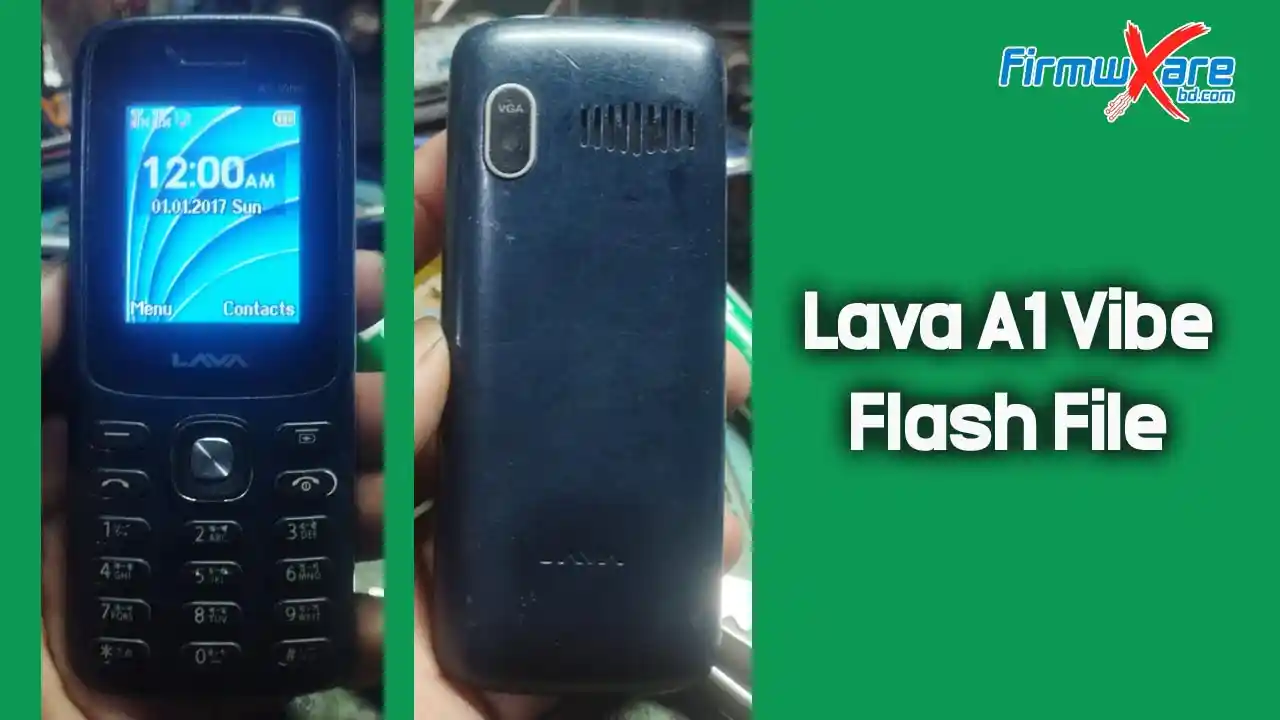
Lava A1 Vibe Flash File MT6261
To flash the Lava A1 Vibe flash file, you’ll need a flashing tool like InfinityBox CM2MTK. The flashing process is relatively straightforward, but it’s crucial to follow the instructions carefully to avoid bricking your device. Before proceeding, ensure that your phone matches the specifications, including the correct CPU model.
Lava A1 Vibe Flash File Reading Info
Wait for phone...
Phone found! [ 24 ]
Sync...
Sync Ok, read regs...
Inital regs read done
Boot Info :
BB_CPU_ID : 6261
BB_CPU_HW : CB01
BB_CPU_SW : 0001
BB_CPU_SB : 8000
BB_CPU_NM : [MediaTek] MT6261_S0000
BB_CPU_SN : B28E9012D242FBAA50C86A4CAC392E6C
BROM Protocol Version : 05
Setting...
Setting done , result code 0x000E
BROM stage done
Seek and prepare DownloadAgent
DownloadAgent matching HW Found!
DA verify and select done
Sending DA to target ...
DA_INFO   : 0xC0 , Ver : 3.2 , BBID : 0x8E
SOC_VERIFY : 0xC1
BOOT_STYLE : SF_FLASH_BOOT
NOR Flash IC initialized
[0] : FLASH_VEN : 0x0113 , [Winbond] SF_W25Q32JV
[0] : FLASH_DIE : 00EF 0070 0016 0000
[0] : FLASH_LEN : 0x00300000
SDS_INFO : 0x002FE000 , 0x00002000
INT_RAM : 0x0000D000
EXT_RAM : 0x00400000
Reading Flash Content now ...

Read Flash now
Read Ok , 3145728 bytes read
Check and collect compile info
File_Info   : IL1802J_INDIA_PCB01_gsm_MT6261_S00.LAVA_A1_21_JOSH_032_024_V3_M004_20240207_INT.bin
FileVersion : LAVA_A1_21_JOSH_032_024_V3_M004_20240207_INT
Saved to : C:\InfinityBox\CM2MTK\Read_out\IL1802J_INDIA_PCB01_gsm_MT6261_S00.LAVA_A1_21_JOSH_032_024_V3_M004_20240207_INT.bin

Done!
Elapsed: 00:00:25
Reconnect Power/Cable!
Lava A1 Vibe Flash File Download Link
- Device Model: Lava A1 Vibe
- CPU Type: MTK MT6261
- File Size: 4MB
- Version: LAVA_A1_21_JOSH_032_024_V3_M004_20240207_INT
- Compressed: WinRAR And 7Zip
- Password: Paid
Lava A1 Vibe Flash Tools And Driver
How to Flash Lava A1 Vibe Phone
- Download the Lava A1 Vibe Flash File Firmware.
- Install the Lava A1 Vibe USB Driver on your computer. If the driver is already installed, skip this step.
- Open the Lava A1 Vibe Flash Tool (CM2 / Miracle Box).
- Remove the battery from the device and then reinsert it.
- Select the downloaded flash file and click the Write Flash option.
- Connect your device to the computer via a USB cable and press the boot key.
- The flashing process will begin. Wait for up to 5 minutes.
- Once the flashing reaches 100%, the process is complete.
Congratulations! Your Lava A1 Vibe mobile device has been successfully flashed.
Lava A1 Vibe Firmware Advantage
- Unbrick Lava A1 Vibe with Stock ROM.
- Fix boot loops by flashing the stock ROM.
- Upgrade or downgrade the Lava A1 Vibe.
- Resolve network issues.
- Unroot your phone to fix bugs.
- Reset or remove phone security locks.
- Fix hang-on-logo issues.
- Resolve software issues by flashing the stock ROM.
- Restore your warranty by reverting to the stock firmware.
Important Note: Before flashing, take a backup of all your data, as it will be deleted during the process.
Conclusion
Updating your Lava A1 Vibe device with the latest firmware can unlock its full potential and enhance your user experience. By carefully following the installation process and ensuring compatibility with the latest firmware version, you can enjoy improved performance, bug fixes, new features, and enhanced security. Stay updated with firmware releases to make the most of your Lava A1 Vibe phone.
If you encounter any issues during the flashing process, feel free to contact me. I’ll be happy to assist you. You can reach me via Facebook or WhatsApp.
