Celcom C2401 Flash File SC6533G (Firmware) 100% Tested
Looking for the Celcom C2401 flash file? You’ve come to the right place. This page provides a 100% tested and safe firmware file for the Celcom C2401, along with a complete flashing guide and direct download links. This flash file can resolve a wide range of software issues, including hang on logo, dead recovery, IMEI repair, and password unlocking.
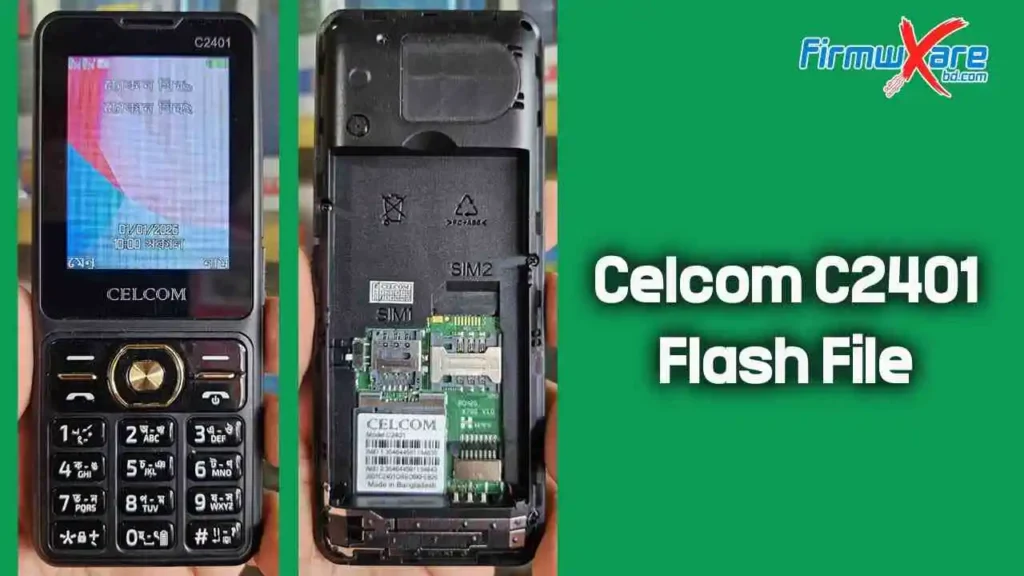
Celcom C2401 Flash File SC6533G
The Celcom C2401 runs on the Spreadtrum SC6533G chipset. To flash this device, you will need a compatible flashing tool such as InfinityBox CM2Scr or Miracle Box. The process is straightforward, but it is essential to follow the instructions carefully and verify that your device matches the correct CPU model before proceeding.
Celcom C2401 Flash File Reading Info
Wait for device ...

Device Connected!
BOOT_PWR0 : 0x00600000
BOOT_INIT : 0x81C0024C
BOOT_MODE : DOWNLOAD
BOOT_INTV : "X79G_240X320_XDZ_K5_CELCOM_V05_20260514"
Setting BOOTROM mode
BOOT_MODE : BOOTROM
Boot_CPU  : 0x08090007 : [SPREADTRUM] : SC6533G
MEMD for flsh_spi32m Branch: none
Boot_CS0 : 0x00000000 : SPI : [SPIDEF] : 25Q32 : 0x00400000 [ 4MiB ]
Performing MemoryInit
Selecting RL
Sending RL
Config : MemoryInit
Config : Loader
BOOT_MODE : RLOADER
Boot IV  : 0xFBA2A250
Boot done!

Read done, 0x00400000

Verify FlashContent
MCU verified
CAL verified
FAC verified

Device Info Details :
[0] : X79G_240X320_XDZ_C2401_K5_CELCOM
[1] : 6533
[2] : SC6533G_FP
[3] : SC6533G
[4] : pasw_SC6533
[5] : flsh_spi32m
[6] : gc9306/st7789v/gc9307
[7] : bf30a2serial/gc6153/byd3A02/byd3A01/gc6123
[8] : SCbt_6533
[9] : SCfm_6533G
[10] : release
[11] : 2026-05-14_14:23:33
[12] : X79G_240X320_XDZ_K5_CELCOM_V05_20260514

Saved to : C:\Users\b\Desktop\Read Flash 2\C2401\
Saved as : SC6533_4MiB_X79G_240X320_XDZ_C2401_K5_CELCOM_X79G_240X320_XDZ_K5_CELCOM_V05_20260514_2026-05-14_142333.ilod


Done!
Elapsed: 00:00:19

Reconnect Power/Cable!
Celcom C2401 Flash File Download Link
- Device Model: Celcom C2401
- CPU Type: SPD SC6533G
- File Size: 4MB
- Version: X79G_240X320_XDZ_K5_CELCOM_V05_20260514
- Compressed: WinRAR And 7Zip
- Password: Paid
Celcom C2401 Flash Tools And Driver
Celcom C2401 Boot Key
Boot keys are required for flashing firmware and unlocking passwords on a Windows PC via USB. They are primarily used with Chinese SPD CPU feature phones.
Boot Key for This Model: Use SPD Boot Cable
How to Flash the Celcom C2401
⚠️ Important: Back up all data before flashing. The process will erase everything on the device.
- Download the Celcom C2401 flash file from the link above.
- Install the Celcom C2401 USB driver on your PC. Skip this step if already installed.
- Open the flash tool (CM2 or Miracle Box).
- Remove the battery from the device, then reinsert it.
- Select the downloaded flash file and click Write Flash.
- Connect your device to the PC via USB cable and press the boot key.
- The flashing process will begin automatically. Allow up to 5 minutes to complete.
- Once the progress reaches 100%, the flash is complete.
✅ Your Celcom C2401 has been successfully flashed!
Benefits of Flashing the Celcom C2401 Firmware
- Unbrick a dead or soft-bricked device using the stock ROM
- Fix persistent boot loops and hang-on-logo issues
- Upgrade or downgrade the firmware version
- Resolve network and signal-related problems
- Remove root access to restore warranty eligibility
- Reset or bypass security locks and passwords
- Fix software bugs and system instability
- Restore the device to its original factory state
Conclusion
Flashing the latest firmware on your Celcom C2401 is an effective way to resolve software issues and restore your device to peak performance. By following the steps in this guide and ensuring compatibility with the correct firmware version, you can fix bugs, improve stability, and extend the lifespan of your device.
If you encounter any issues during the flashing process, feel free to contact me. I’ll be happy to assist you. You can reach me via Facebook or WhatsApp.
Related Post:
- Celcom C2401 Flash File MT6261 (Firmware)
- Maxtel Max-12 Flash File SC6531E
- 5Star BD33+ Flash File SC6533G


