SAM-FRP Android 16 By iAPro V1.2 – Free One-Click FRP Removal Tool
Samsung Android 16 users and mobile technicians often struggle with FRP locks after factory resets, especially on the latest security updates. SAM-FRP Android 16 By iAPro V1.2 introduces a newly discovered FRP loophole that works even on devices with the November security patch. This method allows USB debugging to activate while the phone is still FRP locked, enabling quick FRP removal through MTP mode. The process is fast, safe, and requires no flashing or complex steps, making it ideal for both users and repair professionals.
What Is SAM-FRP Android 16 By iAPro V1.2?
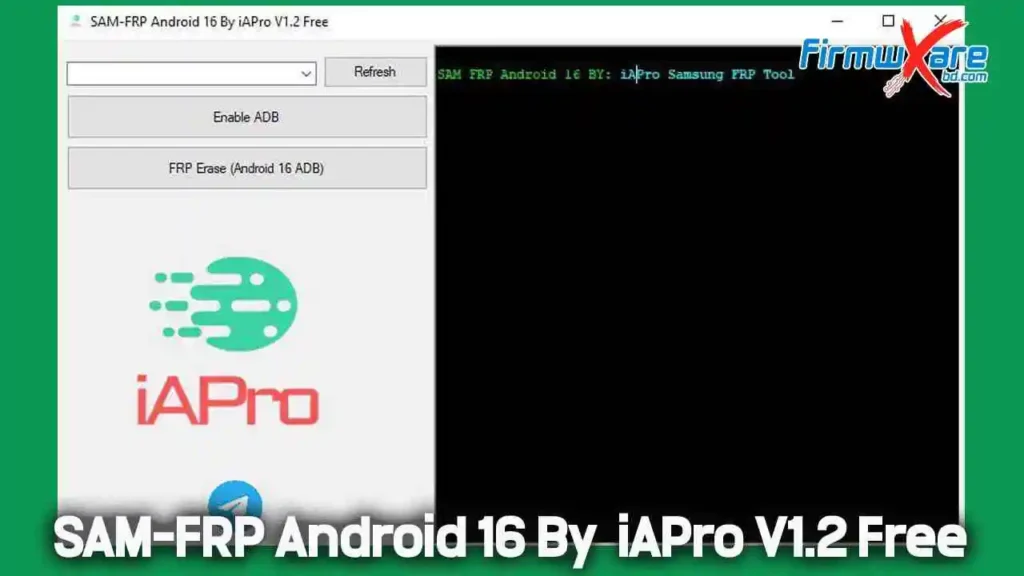
SAM-FRP Android 16 By iAPro V1.2 is a free FRP bypass tool designed specifically for Samsung devices running Android 16. It uses a newly found loophole that allows the phone to connect in MTP mode and automatically enables ADB, even when the device is locked by FRP.
What This Method Allows
- USB Debugging to turn ON
- Phone connection via MTP mode
- One-click FRP removal
- Works even when the phone is FRP locked
Best Part
- No flashing required
- No firmware needed
- No risky or complicated steps
Simply connect the phone and run the tool.
How This FRP Loophole Works
Normally, when FRP protection is active:
- USB debugging remains OFF
- The phone blocks system access
- FRP removal methods fail
With this new method:
- The phone connects in MTP mode
- The tool automatically enables ADB
- FRP is erased with a single click
This works due to a small loophole found in Samsung’s latest Android 16 security update.
Benefits of This Method
✔ Supports Android 16
✔ Works on the latest security patches
✔ No flashing required
✔ No cable tricks needed
✔ One-click FRP removal
✔ Fast and user-friendly
✔ Works through MTP mode
✔ Ideal for mobile repair shops
SAM-FRP Android 16 By iAPro V1.2 – Free Download
- File Name: SAM-FRP Android 16 By iAPro V1.2 Free.zip
- Version: V1.2
- File Size: 8 MB
Step-by-Step FRP Removal Process
Follow these steps carefully:
- Power ON the Samsung phone
- Keep the device on the FRP lock screen
- Connect the phone to a PC using a USB cable
- Open SAM-FRP Android 16 By iAPro V1.2 Tool
- Click Enable ADB
- Wait a few seconds
- Click FRP Erase
- The phone will reboot automatically
- FRP lock will be removed
✅ That’s it—no extra steps required.
Important Notice
This method should be used only for:
- Your own device
- Customer devices with proper permission
- Authorized mobile repair purposes
❗ Do not use this tool for illegal or unauthorized activities. Always follow local laws and regulations.
Conclusion
SAM-FRP Android 16 By iAPro V1.2 is a powerful, free, and easy-to-use FRP removal solution for Samsung devices. With no flashing, no firmware requirements, and a simple one-click process, it saves both time and effort. Whether you are a mobile technician or a user stuck with an FRP lock, this tool is a reliable solution.