Download KRDT Utility Pro v1.5.0 (Main Module) Free – GCT_Team
KRDT Utility Pro v1.5.0 is a powerful and reliable Windows-based tool created for professional Android mobile repair work. It is specially designed for technicians who deal with MDM locks, IT Admin restrictions, Samsung KG locks, and network issues on a daily basis. The tool combines multiple repair features into a single, easy-to-use panel, helping save time and reduce the need for multiple tools. With support for the latest Android versions, KRDT Utility Pro has become a popular choice among mobile repair shops.
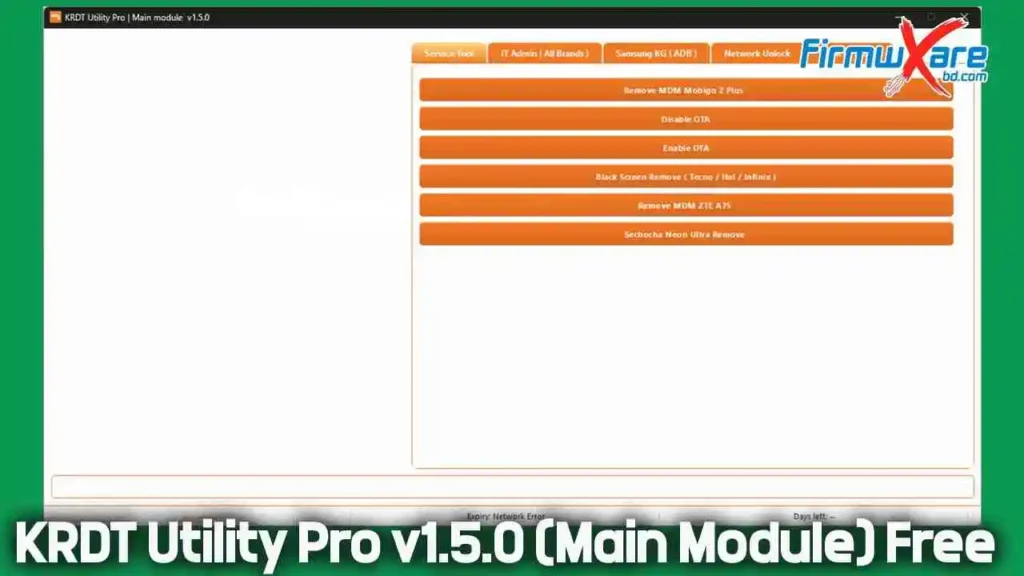
What is KRDT Utility Pro?
KRDT Utility Pro is an advanced Android service utility used for repairing, unlocking, and patching Android smartphones. It supports a wide range of popular brands such as Samsung, Xiaomi, Tecno, Infinix, Itel, Vivo, and others.
This tool is mainly used in repair shops and by advanced users who need fast and effective solutions for locked or restricted devices. Its clean layout and clearly labeled options make it suitable even for technicians with basic experience.
Why Use KRDT Utility Pro?
KRDT Utility Pro is designed to make Android repair work faster and easier.
Main Benefits
- Simple and clean interface
- Supports the latest Android versions
- Saves time in daily repair work
- Works with multiple brands
- All repair options in one tool
- Ideal for professional technicians
Key Features of KRDT Utility Pro v1.5.0
The latest version brings several improvements and new working methods, making it more stable and compatible with modern Android devices.
Main Features
- MDM lock removal
- IT Admin restriction removal
- Samsung KG unlock via ADB
- Network (SIM) unlock
- Device patching tools
- Enable or disable OTA updates
- Factory protection and restriction fixes
All features are organized into tabs, allowing users to quickly find and use the required function.
KRDT Utility Pro v1.5.0 Free Download
- File Name: KRDT_Utility_Pro_v1.50_Free_By_GCT_Team.rar
- Version: v1.5.0
- File Size: 61 MB
Download Link👉 Mediafire | Proton Drive
How to Use KRDT Utility Pro (Quick Guide)
- Install and open the tool on your PC
- Connect the phone using a USB cable
- Enable USB debugging on the device
- Select the required section in the tool
- Click the desired option
- Wait for the process to complete
- Reboot the phone
No complicated setup or advanced configuration is required.
What’s New in Version 1.5.0
KRDT Utility Pro v1.5.0 introduces better performance and wider Android support.
Highlights of the Update
- New Samsung KG unlock methods
- Support for Android 14 and Android 15
- Improved IT Admin removal techniques
- New MDM patch methods
- Super Device Patch option added
- Improved stability and smoother operation
- Clean and user-friendly interface
These updates make the tool more reliable for daily repair tasks.
Conclusion
KRDT Utility Pro v1.5.0 is a complete Android repair solution for technicians who need reliable tools for MDM removal, IT Admin fixes, Samsung KG unlocking, and network unlocking. Its modern interface, wide device support, and updated methods make it a valuable addition to any mobile repair setup. If you are looking for an all-in-one Android service tool that supports the latest Android versions, KRDT Utility Pro is definitely worth using.
Related Tools: