EFT Pro Dongle V5.3.6 (Latest Updete) Build 001 – Download
In the world of mobile phone repair and unlocking, technicians rely on powerful and reliable tools to bypass security locks and resolve complex software issues. Among the leading solutions in this field is the EFT Pro Dongle, a versatile software suite designed to overcome a wide range of Android security barriers. The recent release of EFT Pro Dongle V5.3.6 Build 001 has attracted significant attention, offering expanded support and improved functionality.
This article provides a comprehensive overview of the tool, including its features, installation process, and the latest updates.
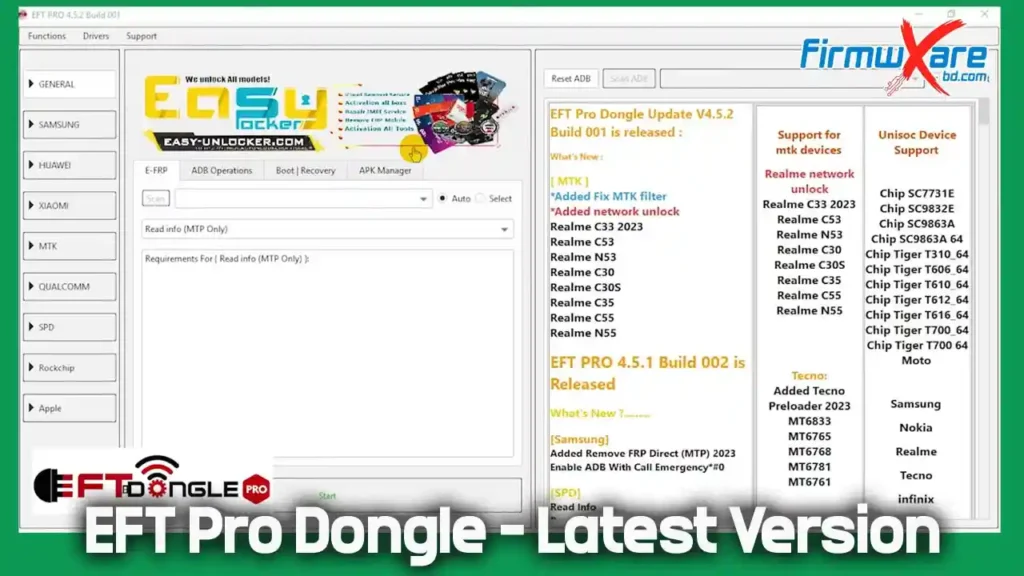
What is EFT Pro Dongle?
EFT Pro Dongle is a professional-grade software tool used primarily by mobile technicians, repair shops, and advanced users. Its main purpose is to remove various types of locks on Android devices from numerous manufacturers, including popular brands like Samsung, Xiaomi, OPPO, VIVO, Realme, TECNO, and more.
Unlike traditional hardware dongles, this software uses an online activation system, allowing it to be used on any computer with an internet connection.
Key Features of EFT Pro Dongle:
- FRP (Factory Reset Protection) Bypass: Circumvents Google’s FRP lock, which activates after a factory reset if the previous Google account isn’t verified.
- Screen Lock Removal: Unlocks forgotten PINs, passwords, and patterns without a factory reset, potentially preserving user data.
- KG (Knox Guard) Lock Removal: Targets Samsung’s enterprise-level security locks.
- MDM (Mobile Device Management) Bypass: Removes corporate profiles and restrictions on company-owned devices.
- Bootloader Unlocking: Essential for advanced modding and installing custom ROMs.
- Factory Reset: Performs a clean reset on inaccessible devices.
Download EFT Pro Dongle V5.3.6
The latest setup file for the tool is readily available for download. The details are as follows:
- File Name: EFTPROV5.3.6.7z
- Size: 80 MB
- Download Link: jiocloud
How to Install and Activate EFT Pro Dongle
Getting started with EFT Pro Dongle is simple. Follow these steps:
- Download: Obtain the latest setup file from the link provided above.
- Install: Extract the downloaded archive and run the installer as Administrator to ensure proper permissions.
- Launch & Register: Open the tool and click on “Register” or “Login.” You will need to purchase a valid activation key (a 1-year subscription is standard).
- Activate: Enter your registered Email ID and Password into the tool and click “Login.”
- Operate: Select the desired operation (e.g., FRP Remove, Factory Reset), connect the device in the appropriate mode (e.g., Download Mode for Samsung), and click “Start” to begin.
What’s New in EFT Pro Dongle V5.3.6 Build 001?
🍏 Apple
- Added Apple Flash Download
📱 MTK (Samsung Models)
- New supported operations:
- FRP
- Read Info
- Flash
- Read Flash
- Newly supported models:
- SM-A175F (Bit-1)
- SM-X230 (Bit-1)
- SM-X236B (Bit-1)
- SM-X133 (Bit-1)
- SM-X135F (Bit-1)
- SM-M075F (Bit-1)
- SM-E075F (Bit-1)
- SM-X930 (Bit-3)
- SM-X117 (Bit-7)
⚡ Qualcomm (Samsung V2 Models)
- New supported operations:
- FRP
- Factory Reset
- Newly supported models:
- SM-A025U / A025U1 (Bit-6)
- SM-A057F (Bit-B), A057G (Bit-9), A057M (Bit-C)
- SM-A2360 / A236M / A236U (Bit-C)
- SM-G7810 (Bit-H), G781U (Bit-N)
- SM-G9900 (Bit-G), G990U (Bit-J)
- SM-G9960 (Bit-E)
- SM-G9980 (Bit-E)
- SM-M236L (Bit-C)
- SM-S124DL (Bit-C)
- SM-S236DL (Bit-E)
- SM-S237VL (Bit-D)
- SM-T727V (Bit-6)
- SM-X210R (Bit-4)
- SM-X216B / X218U (Bit-9)
- SM-T507 (Bit-7)
- SM-T387A (Bit-3)
ℹ️ Important Notes
- Automatically reads device info and finds correct firmware
- Uses existing firmware if already downloaded
- Offers multiple download sources if firmware is missing
- Extracts and installs firmware after disk space check
- Use official firmware, stable internet, and sufficient storage
Important Considerations
- Professional Use: EFT Pro is intended for professional use. Incorrect use may damage the device.
- Data Loss Warning: Operations like FRP removal or factory reset will erase all user data. This tool is not designed for data recovery.
- Legitimacy: Download the software only from the official website or authorized resellers to avoid malware.
- Hardware Requirements: Use a stable Windows PC and genuine USB cables for reliable connections.
- Ethical Use: Only use this tool on devices you own or have permission to unlock. Bypassing locks on stolen devices is illegal.
Conclusion
The EFT Pro Dongle V5.3.6 Build 001 update reinforces its status as a competitive and evolving tool in the mobile repair industry. By adding support for the latest Samsung Qualcomm V2 models, it demonstrates a strong commitment to keeping up with market demands. For professional technicians seeking a reliable, all-in-one solution for unlocking Android devices and resolving software issues, EFT Pro Dongle remains an excellent choice due to its broad device support and consistent updates.