RelockTool V1.8 Free Login Download – Unlock Samsung Carrier Networks
If you’re looking for a reliable solution to relock or unlock Samsung carrier networks, RelockTool V1.8 is a powerful option to consider. This lightweight, server-based utility is designed exclusively for Samsung devices and provides a free login system to access internal network unlocking features. With its local credit mechanism and wide device compatibility, RelockTool V1.8 has become popular among mobile technicians and advanced users. In this article, you’ll find complete details about its features, supported models, and download information.
What Is RelockTool V1.8?
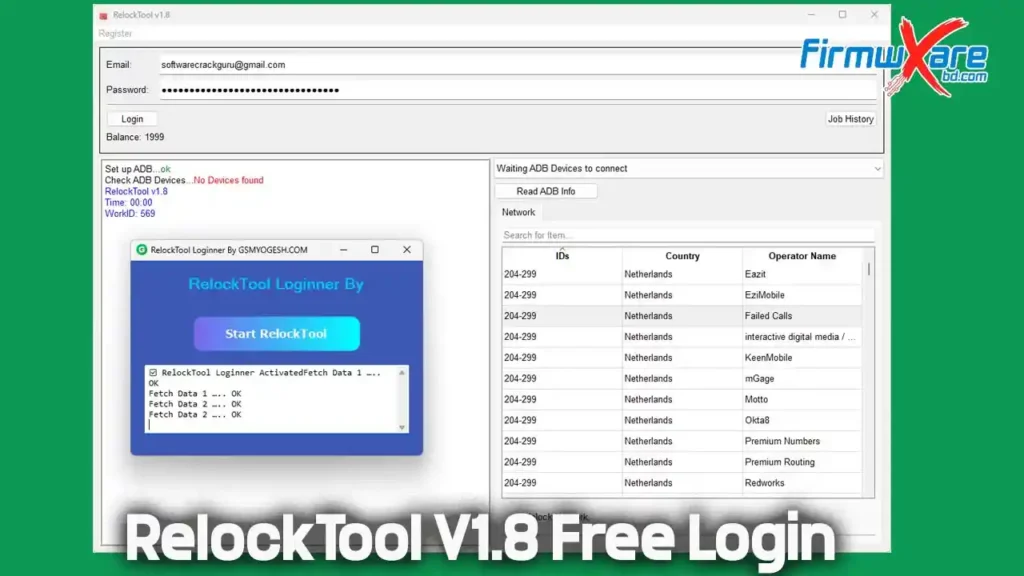
RelockTool V1.8 is a small server-side program developed specifically for Samsung smartphones and tablets. It includes a dedicated loader that allows users to log in and access internal carrier unlock functions directly from the server.
One of its standout features is the local credit system, which operates from your computer instead of relying fully on the server. If the server successfully responds to the local credits, the unlocking or relocking process completes without issues. However, if the server fails to respond, errors may occur.
Note: If your credits are exhausted, simply re-run the login tool, and the credits will reappear in your account.
Key Features of RelockTool V1.8
- Free login access through a dedicated loader
- Local credit system (PC-based, not server-stored)
- Server-based carrier relock and network unlock support
- Designed exclusively for Samsung devices
- Small file size for fast download and installation
- Supports major US carrier variants such as AIO, TMB, VZW, USC, and more
Supported Samsung Devices and Carriers
🔹 Relock Carrier Samsung – Supported Models
Galaxy A Series
- SM-A266U / SM-A266U1
- SM-A366U / SM-A366U1
- Galaxy A17 (SM-A175F, SM-A176B – All variants)
- Galaxy A36 5G (SM-A366E – All)
- Galaxy A56 5G (SM-A566E – All)
Galaxy S Series
- Galaxy S25, S25 Plus, S25 Ultra
- Galaxy S25 FE and S25 Edge
- Galaxy S24 Ultra
- Multiple US and global variants supported
Galaxy Z Series
- Galaxy Z Flip 7 / Z Flip 7 FE 5G
- Galaxy Z Fold 7 5G
Other Supported Devices
- Galaxy XCover 7 Pro
- Galaxy Tab S10 FE
- Galaxy Tab models including SM-T307U, SM-X218U, and SM-X528U
Supported carriers include AIO, APP, CCT, CHA, DSH, TMB, TMK, USC, VZW, and XAU, depending on the device model.
⚠️ Important: RelockTool V1.8 supports Samsung devices only. Other mobile brands are not compatible.
RelockTool V1.8 Download Information
- File Name: RelockTool_V1.8
- Version: V1.8
- File Size: 13.87 MB
- Password: gsmyogesh
How the Local Credit System Works
RelockTool V1.8 uses a local credit-based system that operates directly from your computer.
- If the server validates the credits, the operation completes successfully.
- If the server does not respond, errors may occur.
- When credits are depleted, simply log in again using the loader to restore them.
This system minimizes server dependency and improves overall usability.
Conclusion
RelockTool V1.8 is a lightweight yet effective solution for unlocking or relocking Samsung carrier networks. With free login access, a local credit system, and broad support for the latest Samsung devices, it’s a practical choice for technicians and advanced users alike.